Spotify is the world's largest podcast platform by active listeners, making it the most important distribution channel for any new podcast. Whether you're launching your first show or adding Spotify to an existing distribution strategy, this guide covers every method — from manual RSS submission to one-click AI publishing — so you can get listed as fast as possible.
Why Spotify Matters for Podcasters
Before diving into the how-to, here's why Spotify specifically is worth prioritizing:
| Metric | Stat | Source |
|---|---|---|
| Monthly active podcast listeners | 640 million+ | Spotify Newsroom, 2025 |
| Podcasts available on Spotify | 6+ million | Spotify for Podcasters, 2025 |
| Share of US podcast listeners using Spotify | 31% | Edison Research, Infinite Dial 2025 |
| Spotify's podcast revenue growth YoY | +42% | Spotify Q4 2025 Earnings |
| Spotify free tier availability | Yes — no subscription required to listen | Spotify Help Center |
Spotify's free tier is critical: unlike Apple Podcasts which requires an Apple ID, any Spotify user — including the majority on the free plan — can discover and listen to your podcast. This gives Spotify a broader top-of-funnel than most other platforms.
"Spotify has become the dominant discovery platform for podcasts among listeners under 35. Any podcast not listed on Spotify is invisible to a third of the US podcast audience."
— Edison Research, Infinite Dial 2025
What Spotify Requires to List Your Podcast
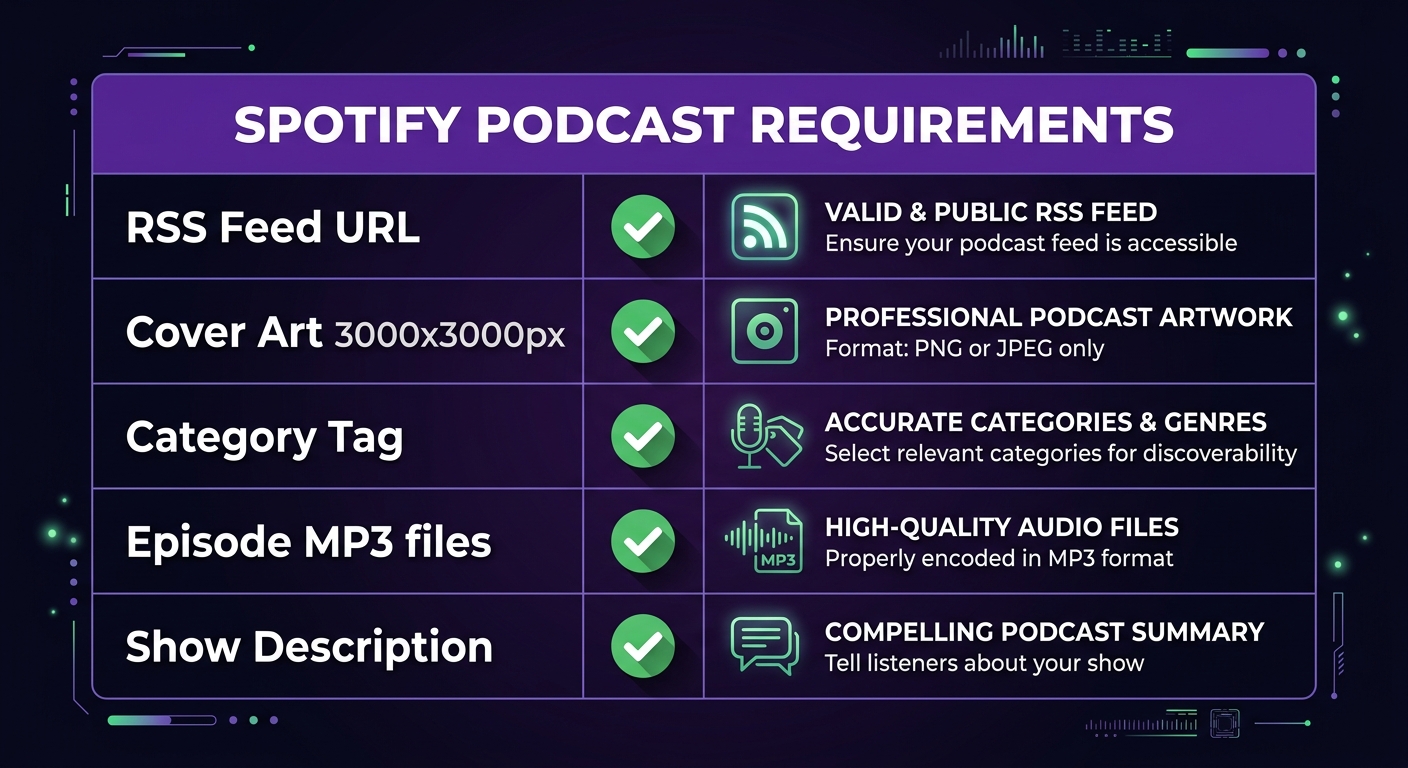
Spotify requires the following before approving your show:
- RSS feed URL — a valid RSS 2.0 feed with podcast-specific tags (provided by your podcast host)
- Cover art — minimum 1400×1400px, maximum 3000×3000px, JPG or PNG, square format, under 512KB
- Show title and description — clear show name and a description of what the podcast is about
- At least one published episode — your feed must contain at least one episode before Spotify will approve it
- Category tag — select one primary category (e.g. Business, Technology, True Crime) from Spotify's approved list
- Explicit content flag — declare whether your content is explicit or clean
Cover art is the most common rejection reason. Use a minimum of 3000×3000px at 72dpi for best results across all podcast platforms, not just Spotify.
Two Ways to Publish to Spotify
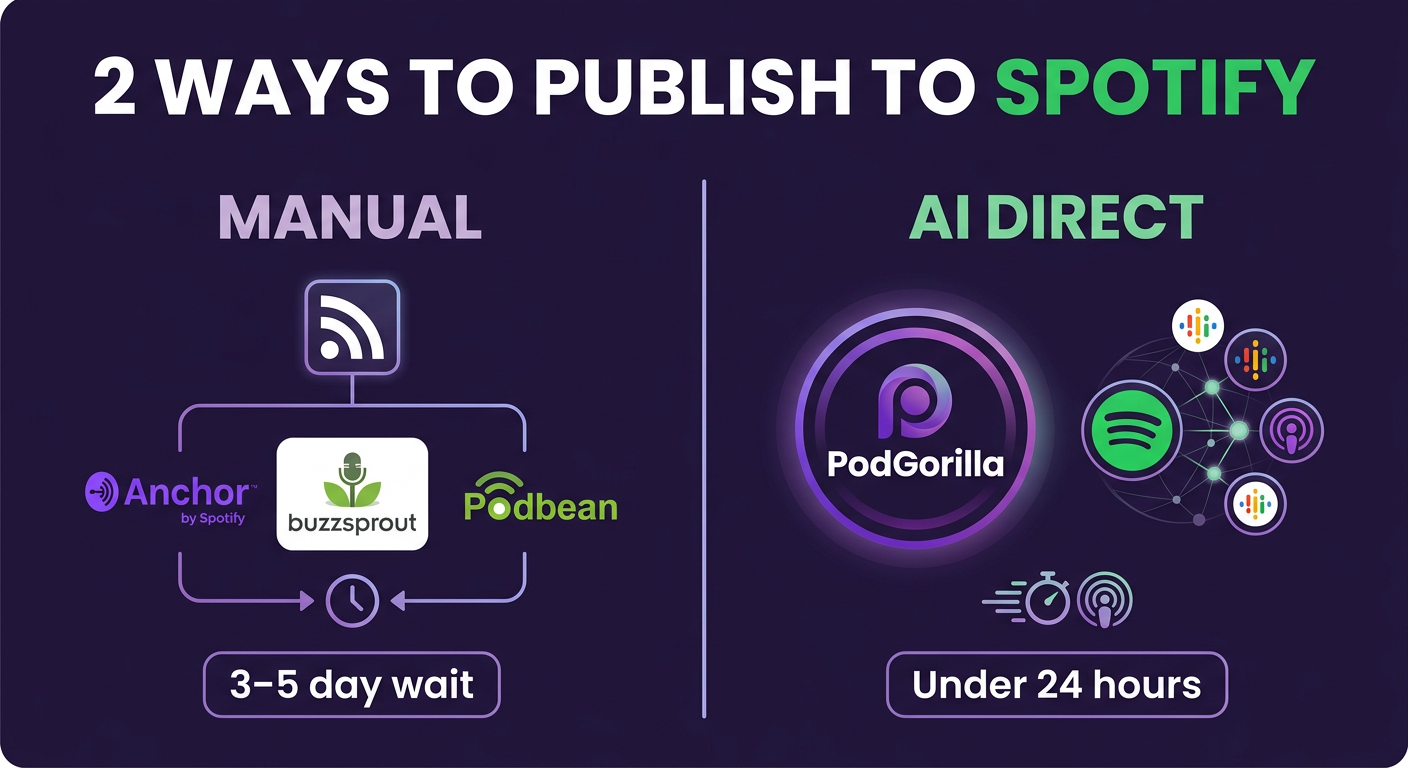
There are two approaches to getting your podcast on Spotify. The method you choose depends on whether you already record your podcast or use an AI generator.
Method 1: Manual RSS Submission (For Traditional Podcasters)
If you record your own episodes and use a podcast host (Buzzsprout, Podbean, Transistor, Anchor/Spotify for Podcasters, etc.), the process is:
Step 1: Set Up a Podcast Hosting Account
A podcast host stores your audio files and generates your RSS feed. Options include:
- Spotify for Podcasters (formerly Anchor) — free, owned by Spotify, publishes directly
- Buzzsprout — $12/month, popular with beginners
- Transistor — $19/month, good for multiple shows
- Podbean — free tier available, paid from $9/month
If you use Spotify for Podcasters (Anchor), your show is automatically submitted to Spotify — skip to Step 4.
Step 2: Upload Your First Episode
Upload your MP3 file to your hosting platform. Add the episode title, description, and any chapter markers. Most hosts require at least one episode before your RSS feed is considered "active."
Step 3: Get Your RSS Feed URL
In your podcast host's dashboard, locate your RSS feed URL. It typically looks like: https://feeds.buzzsprout.com/12345.rss or similar. Copy this URL — you'll need it for the next step.
Step 4: Submit to Spotify for Podcasters
- Go to podcasters.spotify.com
- Click "Get Started" and log in or create a Spotify account
- Click "Add your podcast"
- Paste your RSS feed URL and click "Next"
- Spotify will pull your feed info — verify your show title, artwork, and description
- Confirm ownership by selecting your primary email address (Spotify sends a verification code)
- Fill in the category, language, and explicit content settings
- Submit for review
Step 5: Wait for Approval (24–72 Hours)
Spotify's review process typically takes 24–72 hours. Once approved, your show will be live and searchable on Spotify. You'll receive a confirmation email with your Spotify podcast URL.
After approval: New episodes from your RSS feed will automatically appear on Spotify within a few hours — no resubmission needed.
Method 2: AI Direct Publishing (For AI Podcast Creators)
If you use an AI podcast generator like PodGorilla, the publishing process is significantly simpler — you don't need a separate podcast host, RSS feed, or manual Spotify submission at all.
How PodGorilla's Direct Spotify Publishing Works
- Connect Spotify — in PodGorilla's dashboard, go to Settings → Publishing → Connect Spotify. Authenticate with your Spotify for Podcasters account.
- Create your episode — enter a topic, URL, PDF, or YouTube link. PodGorilla generates the script, selects AI voices, and produces the audio.
- Click "Publish" — select Spotify (and any other platforms) and click Publish. PodGorilla handles RSS generation and submission automatically.
- Episode goes live — your episode appears on Spotify, Apple Podcasts, YouTube, and any other platforms you selected — simultaneously.
This eliminates the need for a separate podcast hosting account, manual RSS management, or individual platform submissions. For podcasters publishing multiple episodes per week, the time savings are significant. Learn more in our guide on how to start a podcast without recording.
Cover Art: Getting It Right
Cover art is the #1 reason Spotify rejects podcast submissions. Here are the exact requirements and best practices:
| Requirement | Specification | Notes |
|---|---|---|
| Dimensions | 3000×3000px (minimum 1400×1400px) | Always use 3000px — it displays better on retina screens |
| File format | JPG or PNG | PNG preferred for text clarity; JPG for photos |
| File size | Under 512KB | Compress if needed — large files cause upload failures |
| Aspect ratio | 1:1 (square) | Non-square art is automatically rejected |
| Content policy | No explicit imagery, no third-party logos | Include text overlay with show name |
| Color mode | RGB | CMYK files may display incorrectly |
Design tips: Use bold, readable text (your show title) that remains legible at 40×40px (thumbnail size). High contrast between text and background is critical. Avoid small decorative text — it becomes unreadable at thumbnail scale.
After Your Podcast Goes Live on Spotify
Once your show is approved, there are several steps that improve discoverability and listener experience:
- Claim your Spotify for Podcasters dashboard — access analytics (streams, listeners, demographics), manage your show info, and respond to listener comments
- Add trailer episode — Spotify prominently features podcast trailers for new visitors to your show page. Record (or generate) a 60–90 second trailer describing what your podcast is about
- Enable Spotify's AI translation — Spotify offers an AI voice translation feature in some markets. Opt in via your Spotify for Podcasters dashboard to expand reach to non-English listeners
- Submit to Apple Podcasts too — Spotify and Apple together cover 60%+ of the US podcast audience. Publishing to both simultaneously maximizes reach. See our guide on best AI podcast tools for multi-platform publishing options
- Use Spotify's promo card generator — Spotify for Podcasters lets you create shareable social media cards for each episode. Use these to promote new episodes across your social channels
Common Spotify Submission Problems (and Fixes)
| Problem | Likely Cause | Fix |
|---|---|---|
| RSS feed validation error | Missing required podcast tags in RSS XML | Use your host's "validate feed" tool; ensure <itunes:image>, <itunes:category>, and <itunes:explicit> tags are present |
| Cover art rejected | Wrong dimensions, file too large, or third-party logo present | Resize to exactly 3000×3000px, compress under 512KB, remove any brand logos you don't own |
| No episodes appear | Feed approved but episodes not indexed yet | Wait 2–4 hours; check that episode MP3 URLs in the RSS are publicly accessible |
| "Already exists" error | Another account has already claimed this RSS feed | Contact Spotify for Podcasters support to transfer ownership |
| Email verification not received | Spam filter or wrong email selected | Check spam folder; ensure you selected an email address you have access to |
| Show not showing in Spotify search | New show indexing lag | It can take up to 7 days for a new show to appear in Spotify search; the direct URL will work immediately |
Frequently Asked Questions
How long does it take to get a podcast on Spotify?
Spotify typically reviews and approves new podcast submissions within 24–72 hours. After approval, new episodes from your RSS feed appear on Spotify within 2–4 hours. Using Spotify for Podcasters (Anchor) as your host or an AI platform like PodGorilla with direct Spotify integration can reduce this to under 24 hours for initial setup.
Is it free to publish a podcast on Spotify?
Yes, listing a podcast on Spotify is completely free. You pay nothing to Spotify for distribution. However, you may pay for a podcast hosting service that generates your RSS feed — hosting ranges from free (Spotify for Podcasters/Anchor) to $10–$30/month for paid platforms. AI podcast generators like PodGorilla include direct Spotify publishing in their subscription.
Do I need a hosting service to publish on Spotify?
You need an RSS feed, which typically comes from a podcast hosting service. However, some tools — including Spotify for Podcasters (free) and AI podcast platforms like PodGorilla — handle hosting and distribution together, eliminating the need for a separate hosting account.
Can I publish directly to Spotify without an RSS feed?
Yes, via Spotify for Podcasters (formerly Anchor), which lets you record and publish directly within Spotify's own tools without an external RSS feed. AI podcast generators like PodGorilla also handle RSS generation automatically, so you publish without manually managing any RSS infrastructure.
What's the difference between Spotify for Podcasters and submitting via RSS?
Spotify for Podcasters (formerly Anchor) is Spotify's own free podcast creation and hosting tool — it handles RSS automatically and is easiest for beginners. Submitting via external RSS gives you more control, lets you distribute to multiple platforms simultaneously, and works with any podcast host. For AI-generated podcasts, PodGorilla's direct integration is faster than either manual method.
How do I publish a podcast to Spotify AND Apple Podcasts at the same time?
Submit your RSS feed to both Spotify for Podcasters (podcasters.spotify.com) and Apple Podcasts Connect (podcastsconnect.apple.com) using the same feed URL. Both will index your episodes automatically going forward. Alternatively, use an AI platform like PodGorilla that publishes to Spotify, Apple Podcasts, YouTube, TikTok, LinkedIn, and Instagram simultaneously with one click.